Tutorial #02 of 13
6 min
Getting Started
Send Your First Task
TUTORIAL GOAL
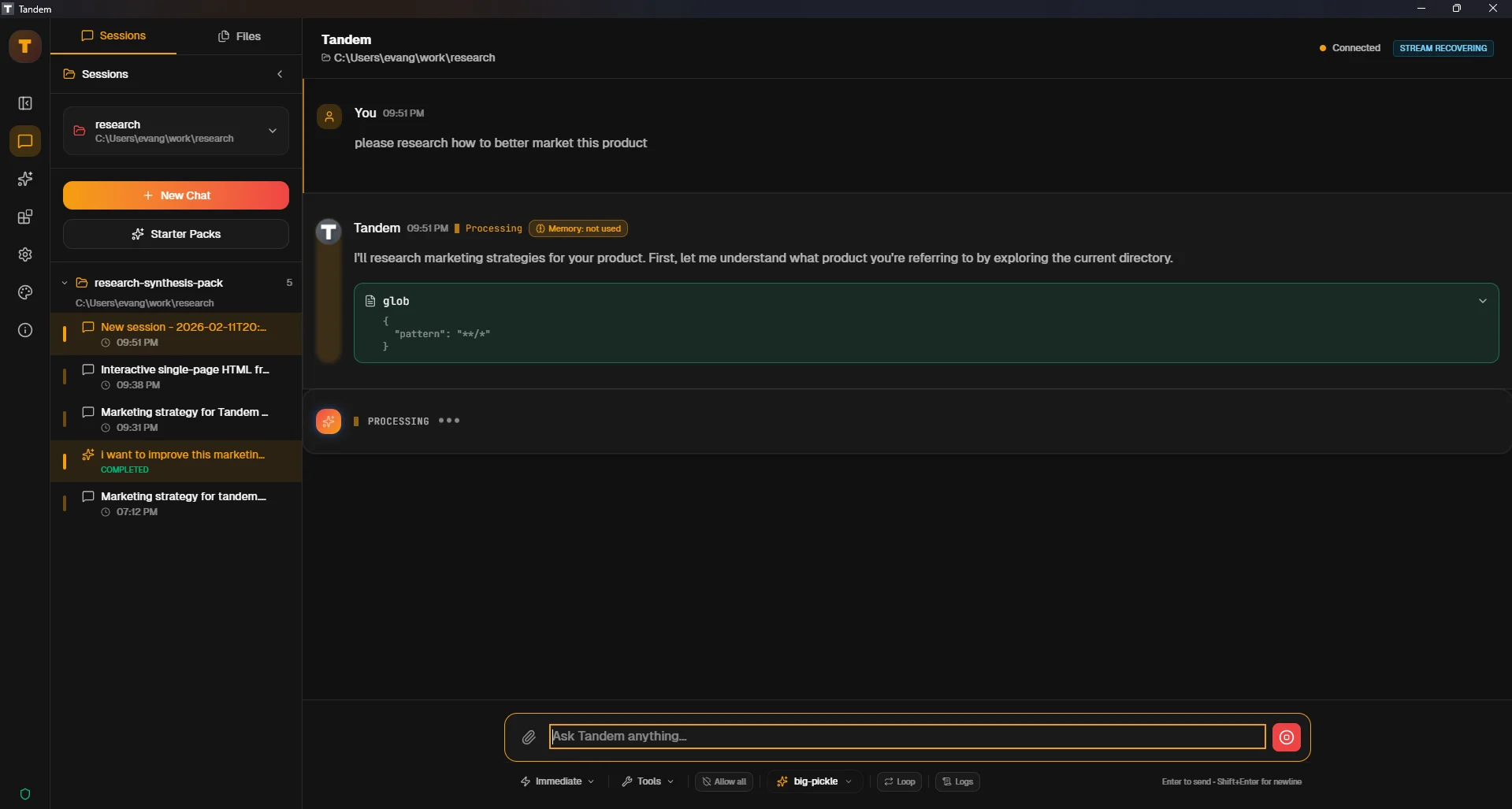
Send one successful prompt and understand where to read assistant output and tool activity.
Click to view fullscreen
→ Why This Matters
Your first successful task confirms end-to-end readiness: workspace context, provider config, and response rendering.
→ What You Will Do
- Ask Tandem to inspect a local file
- Read assistant output
- Review activity indicators for executed steps
→ Step-by-Step Guide
1
Open a simple prompt in chat, for example: `Summarize the purpose of README.md in 5 bullets`
2
Wait for response streaming to complete
3
Expand activity/tool details if shown
4
Ask one follow-up question to confirm context continuity
✓ Verification Checklist
- You received a complete assistant response
- You can locate tool/activity details for the message
- A follow-up question references prior context correctly
⚠ Common Mistakes
- •Sending very broad prompts before confirming basic operation
- •Assuming no response means crash (often it is model/provider timeout)
- •Ignoring activity details when a response looks incomplete