Tutorial #05 of 13
10 min
Safe Execution & Planning
Plan Mode and Staging Area
TUTORIAL GOAL
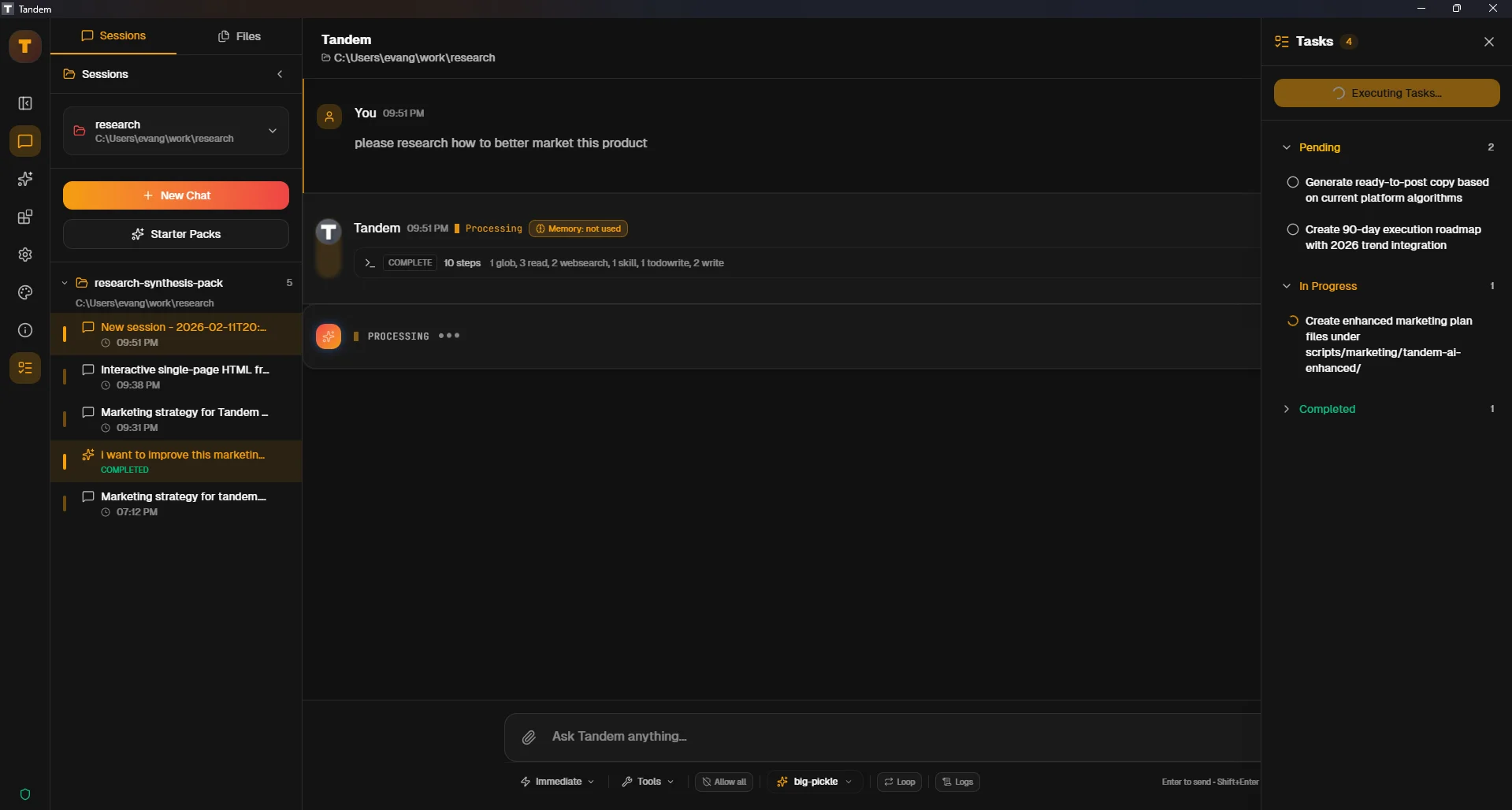
Stage multiple proposed operations in Plan mode without executing them.
Click to view fullscreen
→ Why This Matters
Plan mode gives you a safe checkpoint: review everything first, then execute as a batch.
→ What You Will Do
- Switch to Plan mode
- Request a multi-file change
- Inspect staged operations in Execution Plan
→ Step-by-Step Guide
1
Set the agent mode to `Plan`
2
Ask for a bounded multi-step change (example: update two markdown files with a shared section)
3
Wait for operations to appear in the `Execution Plan` panel
4
Confirm operations are staged and not yet applied
5
Expand one operation to inspect details
✓ Verification Checklist
- Execution Plan panel is visible with staged changes
- No file mutations occur before execution
- You can inspect at least one staged item in detail
⚠ Common Mistakes
- •Expecting immediate file updates while still in plan staging
- •Staging too many unrelated edits in one request
- •Skipping operation descriptions before approval