Tutorial #08 of 13
8 min
Daily Workflow
Work with Files and Previews
TUTORIAL GOAL
User can preview files, understand file context, and navigate between chat and file views.
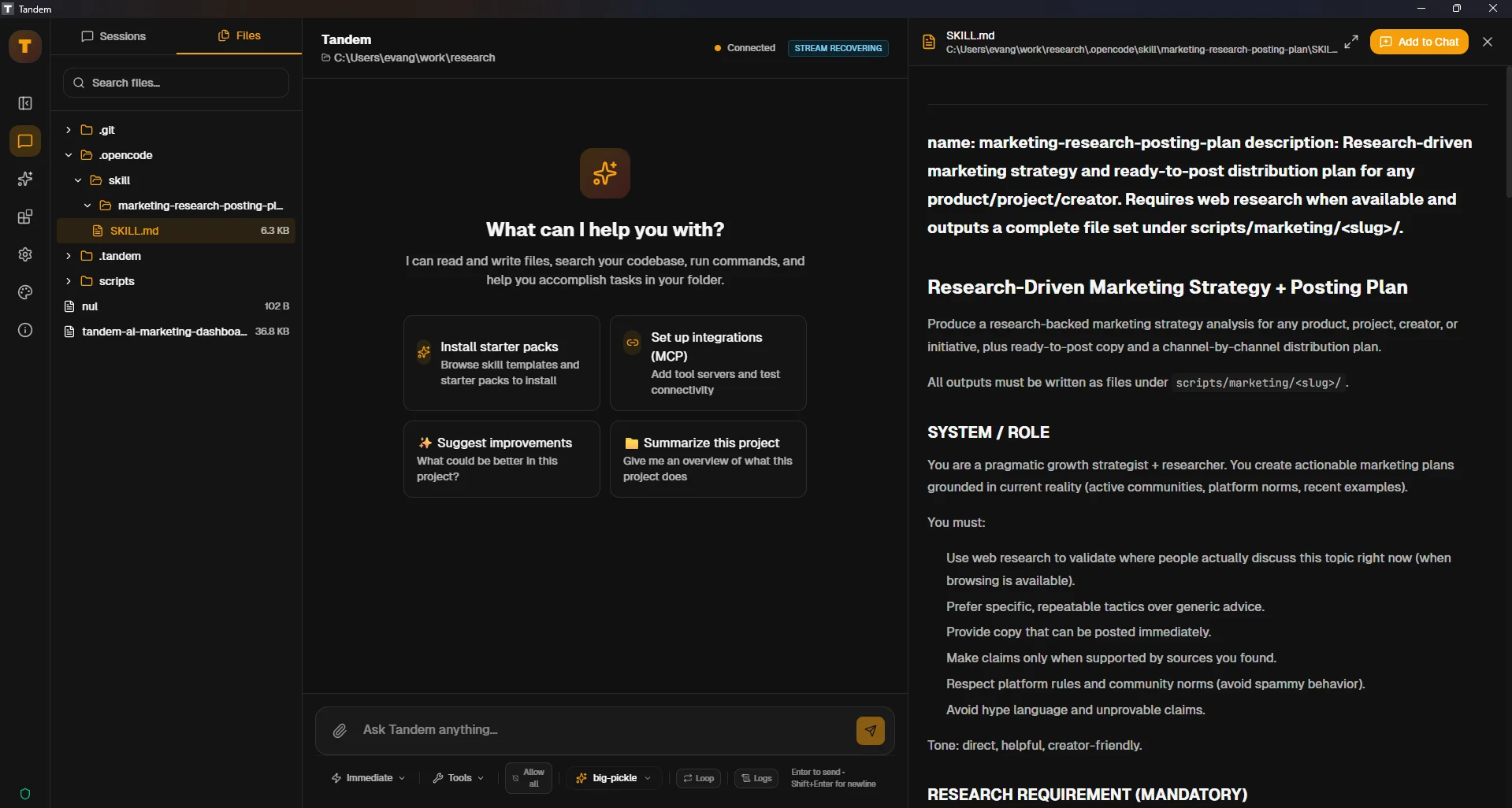
Click to view fullscreen
→ Why This Matters
Being able to quickly preview files helps you verify changes and understand context without leaving Tandem.
→ What You Will Do
- Open file previews
- Navigate between chat and file views
- Verify changes in preview mode
→ Step-by-Step Guide
1
Ask Tandem to modify a file (e.g., 'Add a TODO comment to main.py')
2
After the change is made, locate and open the file preview
3
Verify the change is visible in the preview
4
Try navigating between chat and preview views
5
Close preview and return to chat
✓ Verification Checklist
- You can open file previews
- Preview shows file contents accurately
- You can navigate between chat and preview smoothly
⚠ Common Mistakes
- •Not verifying changes in preview before continuing
- •Losing track of which file you're previewing
- •Forgetting preview may not auto-refresh on external changes