Tutorial #10 of 13
7 min
Daily Workflow
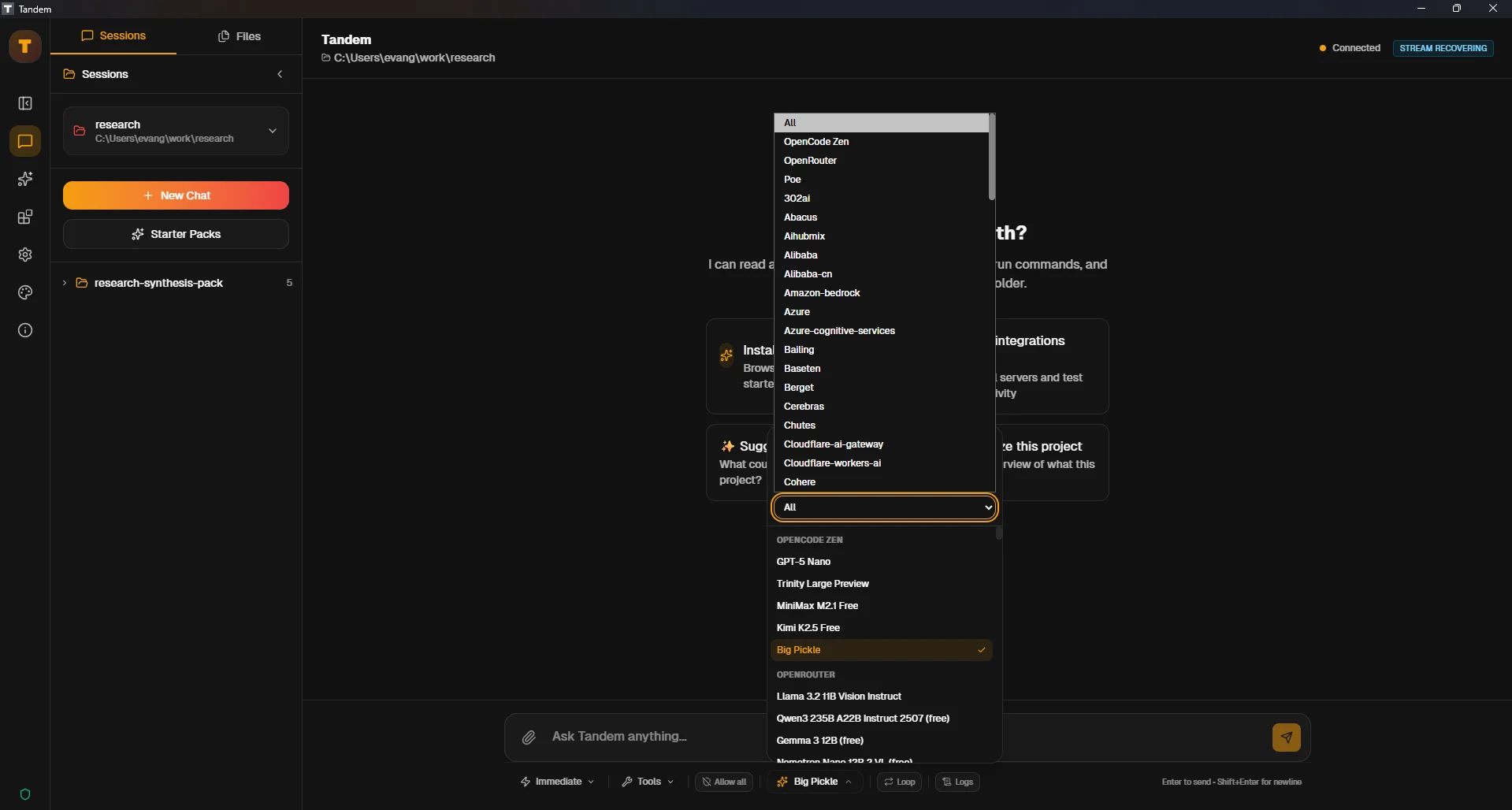
Model Selection and Provider Filtering
TUTORIAL GOAL
Switch between AI models and providers to optimize for speed, cost, or capability.
Click to view fullscreen
→ Why This Matters
Different models excel at different tasks. Fast models for simple edits, powerful models for complex reasoning. Choosing wisely saves time and money.
→ What You Will Do
- Locate model/provider selector
- Switch between different models
- Understand when to use which model
→ Step-by-Step Guide
1
Locate the model/provider dropdown in the UI
2
View available models and providers
3
Try a simple task with a fast model (e.g., GPT-4o-mini)
4
Try a complex reasoning task with a powerful model (e.g., Claude Opus)
5
Compare response quality and speed
✓ Verification Checklist
- You can locate and use the model selector
- You successfully switched models mid-conversation
- You understand trade-offs between different models
⚠ Common Mistakes
- •Using expensive models for trivial tasks
- •Using weak models for complex reasoning
- •Not checking provider status before heavy usage